
Nitroflare Premium Review: My Real Download Speed Tests
Can you actually use Nitroflare for free, or is Premium required? Instead of trusting vague marketing claims about “unlimited speed,” I ran real download speed tests comparing a Nitroflare Free account against a Nitroflare Premium account across both Google Chrome and JDownloader 2.
The short verdict: The difference between Free and Premium is night and day. My free download throttled at 18.4 KB/s, while Nitroflare Premium reached 12.5 MB/s for a single browser file, scaled to 42.3 MB/s across four concurrent browser downloads, and peaked at 50.17 MiB/s in JDownloader 2.
Nitroflare Free vs Premium: Direct Speed Comparison
Here is the side-by-side breakdown of the measured transfer speeds from my real-world tests:
| Account Type & Setup | Measured Speed | Est. Time per 1 GB (Normalized) | Practical Verdict |
|---|---|---|---|
| Free Account (Browser) | 18.4 KB/s | ~15+ hours | Only usable for tiny documents or images |
| Premium (Chrome, Single File) | 12.5 MB/s | ~80 seconds | Fast and stable for individual archives |
| Premium (Chrome, 4 Parallel Files) | ≈ 42.3 MB/s total | ~25 seconds (combined) | Great multi-connection scaling |
| Premium (JDownloader 2) | ≈ 50.17 MiB/s | ~20 seconds (batch) | Maximum performance for heavy multi-part archives |
*Times are mathematically normalized to a standard 1 GB file based on our actual test downloads (767 MB archive on Free vs 1.1 GB archive on Premium).
Test 1: The Nitroflare Free Experience
1. Mandatory Waiting Countdown & Captchas
Before any free transfer begins, Nitroflare places you on an artificial waiting screen with a countdown timer. You are constantly prompted to bypass the timer by upgrading to Premium.
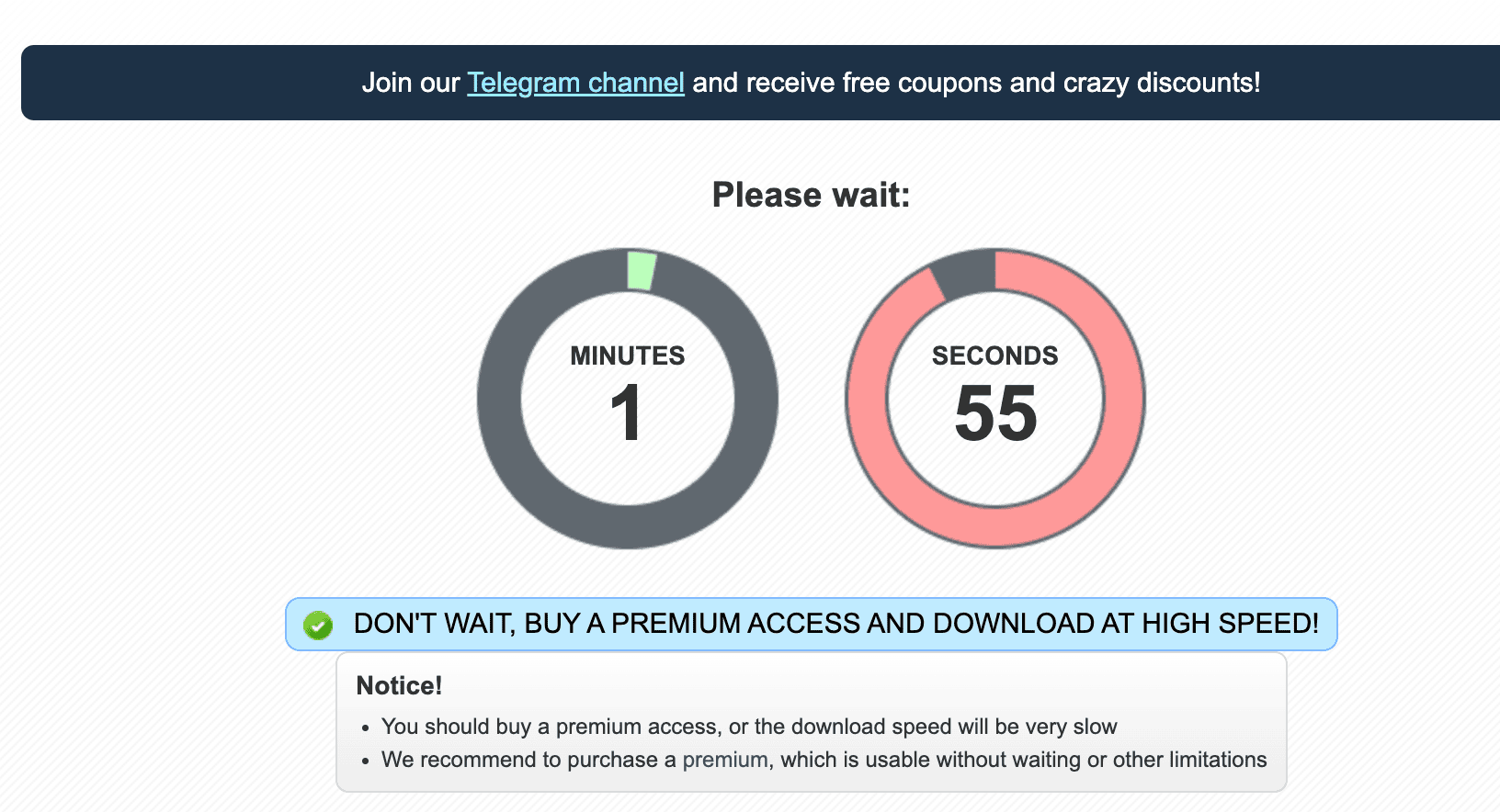
For a single file, waiting a minute or two is a mild inconvenience. However, if you are downloading multi-part archives (e.g., 5 or 10 separate .rar parts), waiting between every single file makes free downloading nearly impossible.
2. Free Download Speed: 18.4 KB/s
Once the download finally started, Chrome clocked the transfer rate at an agonizing 18.4 KB/s on a 767 MB test archive. Chrome calculated an estimated completion time of 12 hours.
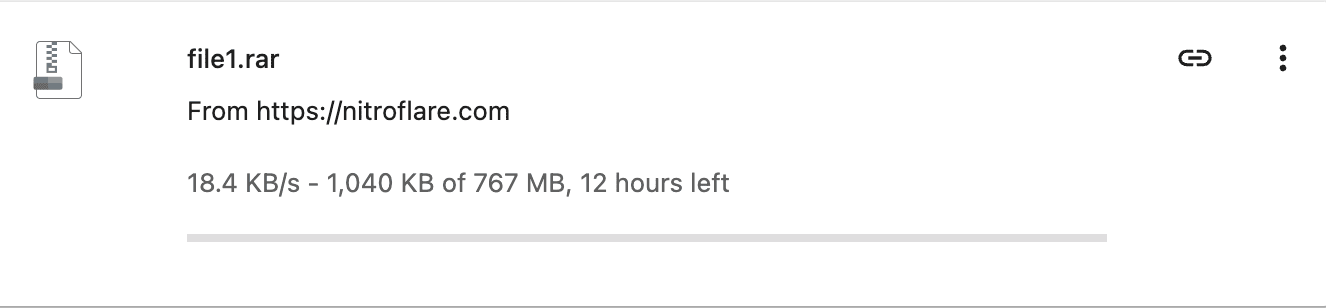
At 18.4 KB/s, any network disconnection causes the file to fail. In practice, the free tier is solely designed for text files or very small documents under 20 MB.
Test 2: Nitroflare Premium Speed Tests
1. Single-File Chrome Test: 12.5 MB/s
After logging into a verified Nitroflare Premium account, I re-tested a 1.1 GB archive downloaded directly via Chrome without third-party download accelerators. The connection immediately surged to 12.5 MB/s.
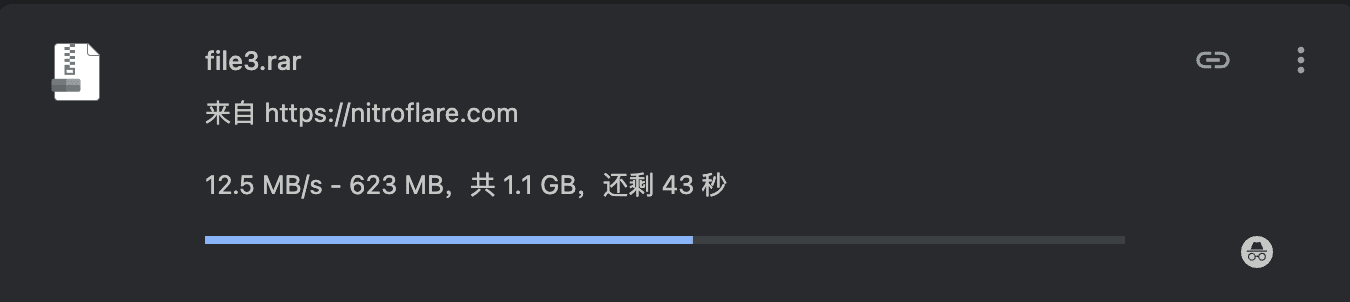
The waiting countdown and download throttling were completely removed. The file completed in roughly 80 seconds rather than half a day.
2. Four Parallel Browser Downloads: ~42.3 MB/s
Since large releases on file hosts are commonly split into numbered parts, parallel downloading capability is crucial. I launched four simultaneous downloads via Chrome (measuring 9.7 MB/s, 10.8 MB/s, 11.2 MB/s, and 10.6 MB/s).
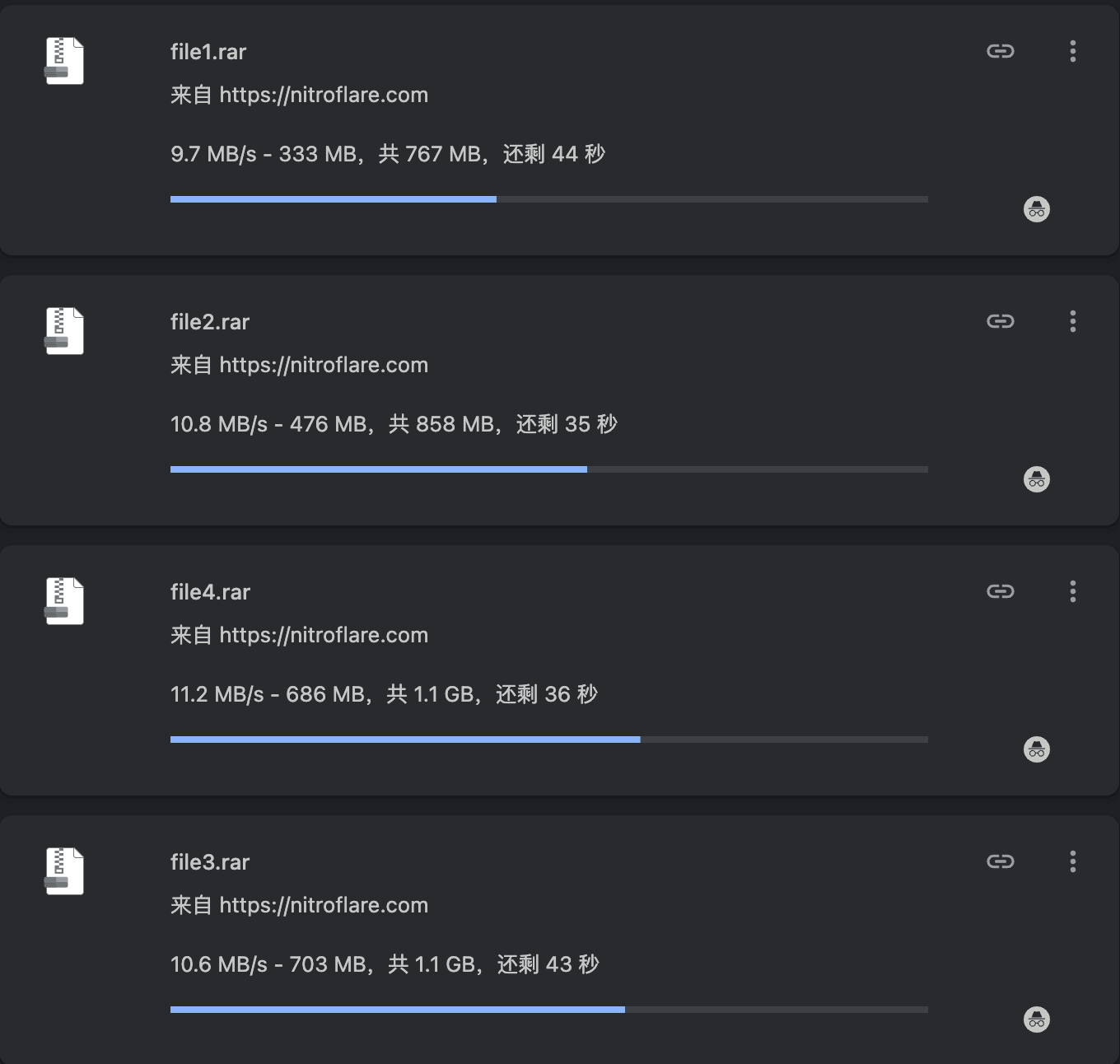
Combined, Chrome handled roughly 42.3 MB/s of sustained throughput. This proves Nitroflare Premium does not throttle total bandwidth when multi-tasking in the browser.
3. JDownloader 2 Batch Test: ~50.17 MiB/s
For high-volume downloading, JDownloader 2 (JD2) is the industry standard. I entered my Premium account details into JD2 and initiated multi-connection chunk downloads across all files.
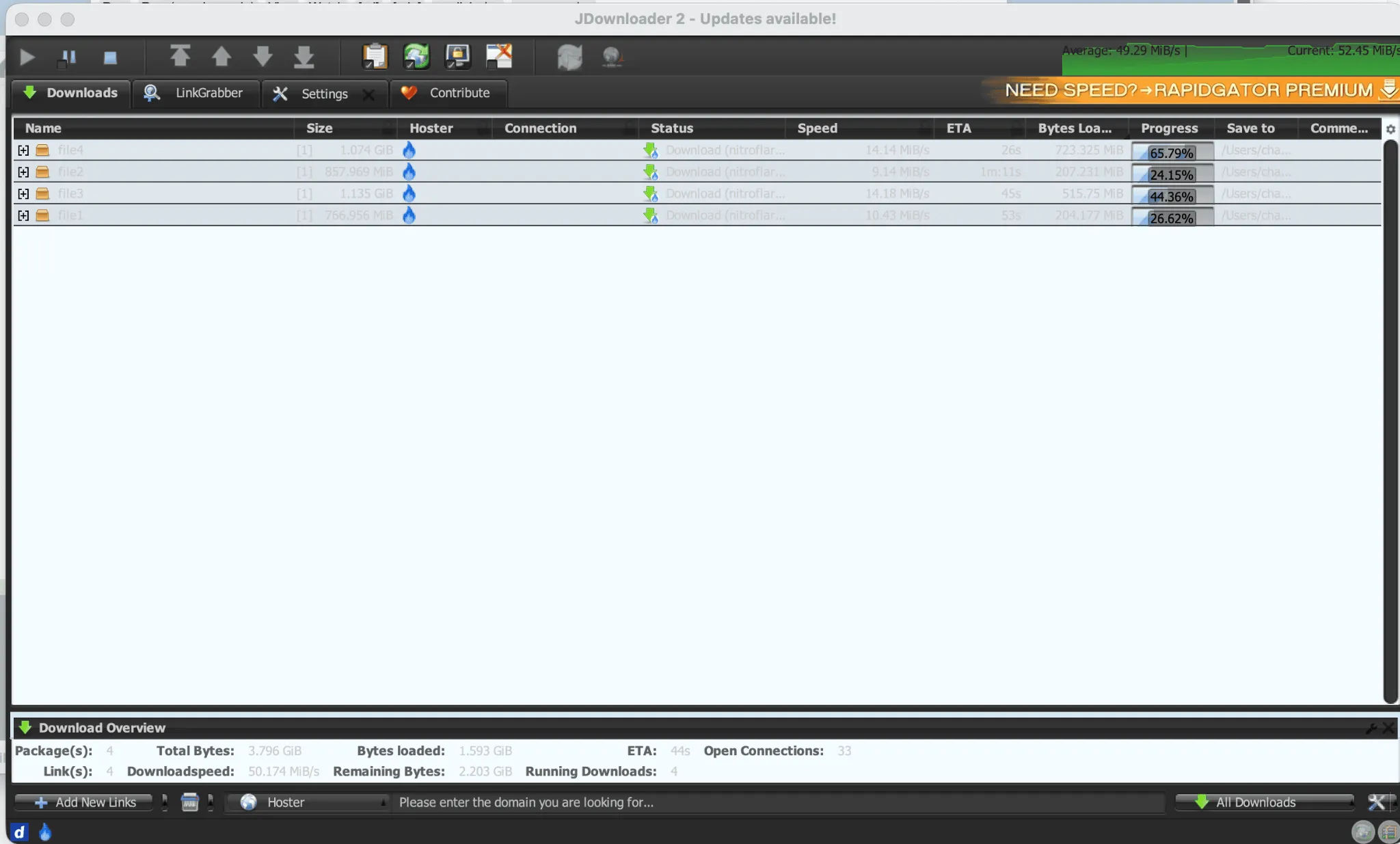
JD2 maximized my connection, reaching 50.174 MiB/s with a sustained average of 49.29 MiB/s across 33 open connections. (Note: JD2 measures in mebibytes per second [MiB/s], whereas Chrome reports in megabytes per second [MB/s]).
Is Nitroflare Premium Worth It?
- Skip Premium if: You only need a single file smaller than 50 MB once every few months and do not mind the countdown screen.
- Get Premium if: You download archives exceeding 500 MB, need multi-part RAR files, or rely on download managers like JDownloader 2 to automate your queues. Premium literally saves dozens of hours per download session.
Before purchasing, keep in mind that download speed is only half of the equation; each plan also comes with a specific daily traffic cap. For JDownloader 2 setup guidance, daily traffic reset rules, and payment options, check our Nitroflare FAQ.
Disclosure: The figures shown above represent real download tests conducted on my local network. Speeds may vary based on your ISP routing, server load, and geographic location. Outbound links on this site may be affiliate links that help support this site at no extra cost to you.